Open Compress PDF to 200 KB, drop in your PDF and download the result. The 200 KB target is already chosen. If it still won't fit, remove pages you don't need, turn the scan black and white, or rescan at 150 DPI.
Why your PDF is so big
Almost all of a scanned PDF's size is pictures. A phone or office scan stores every page as a photo, often 2 to 8 MB for a few pages, while the text you can read takes up almost nothing. That's why compression works so well on scans: Quikdo re-saves those pictures at a lower resolution and quality, and leaves typed text and layout exactly as they were.
PDFs made in Word or Google Docs are mostly text, so they're usually small already and won't shrink much.
Step by step
Open Compress PDF with the 200 KB target
Go to Compress PDF to 200 KB. Target size and 200 KB are already selected. On the main Compress PDF page, choose Target size, then 200 KB, or type your own number in KB or MB.
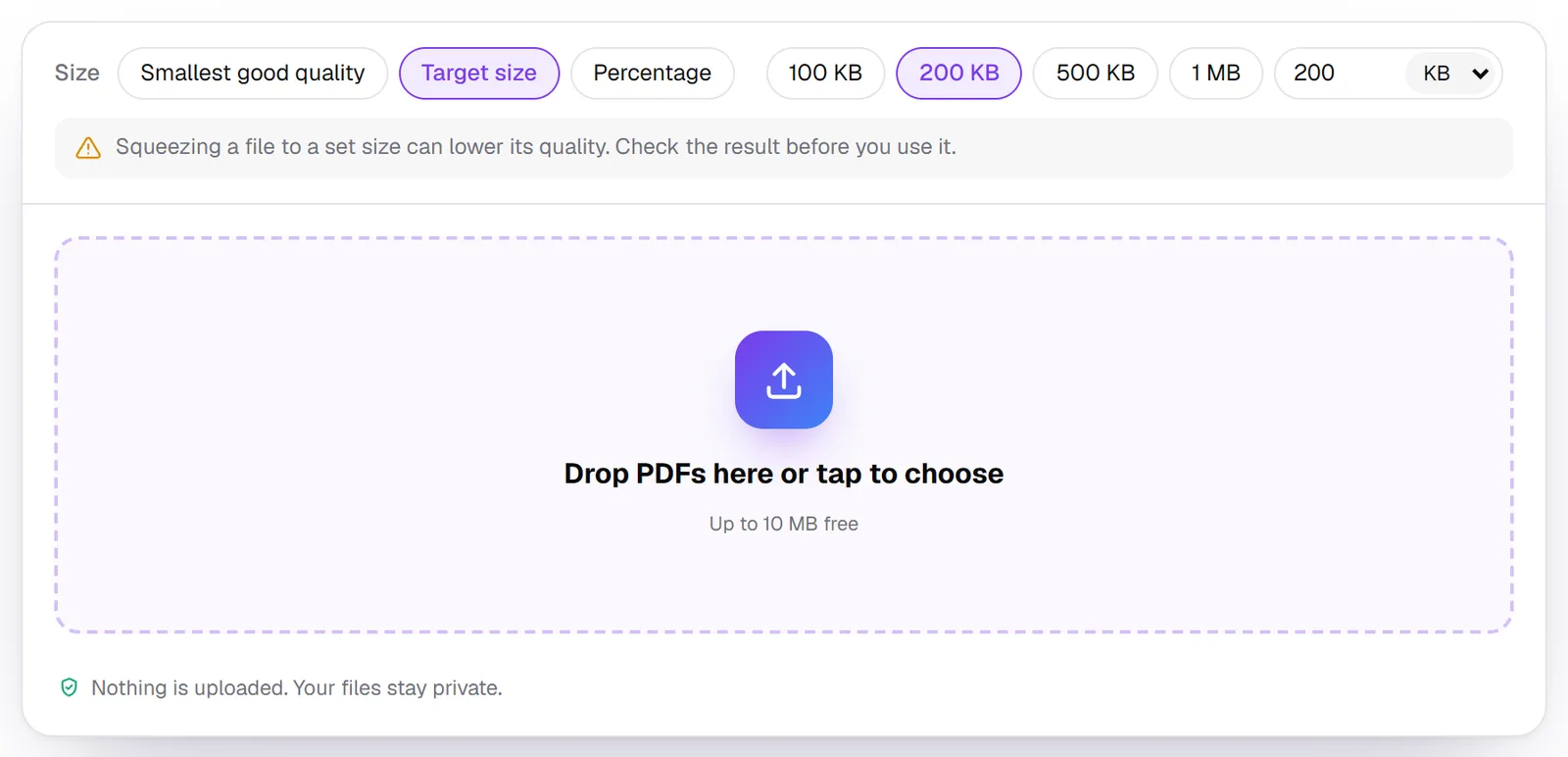
Drop in your PDF
Drag the file into the box, or tap it to choose one. Compression starts straight away. Nothing is uploaded: your browser does the work on your device. Files up to 10 MB are free.
Check the result, then download
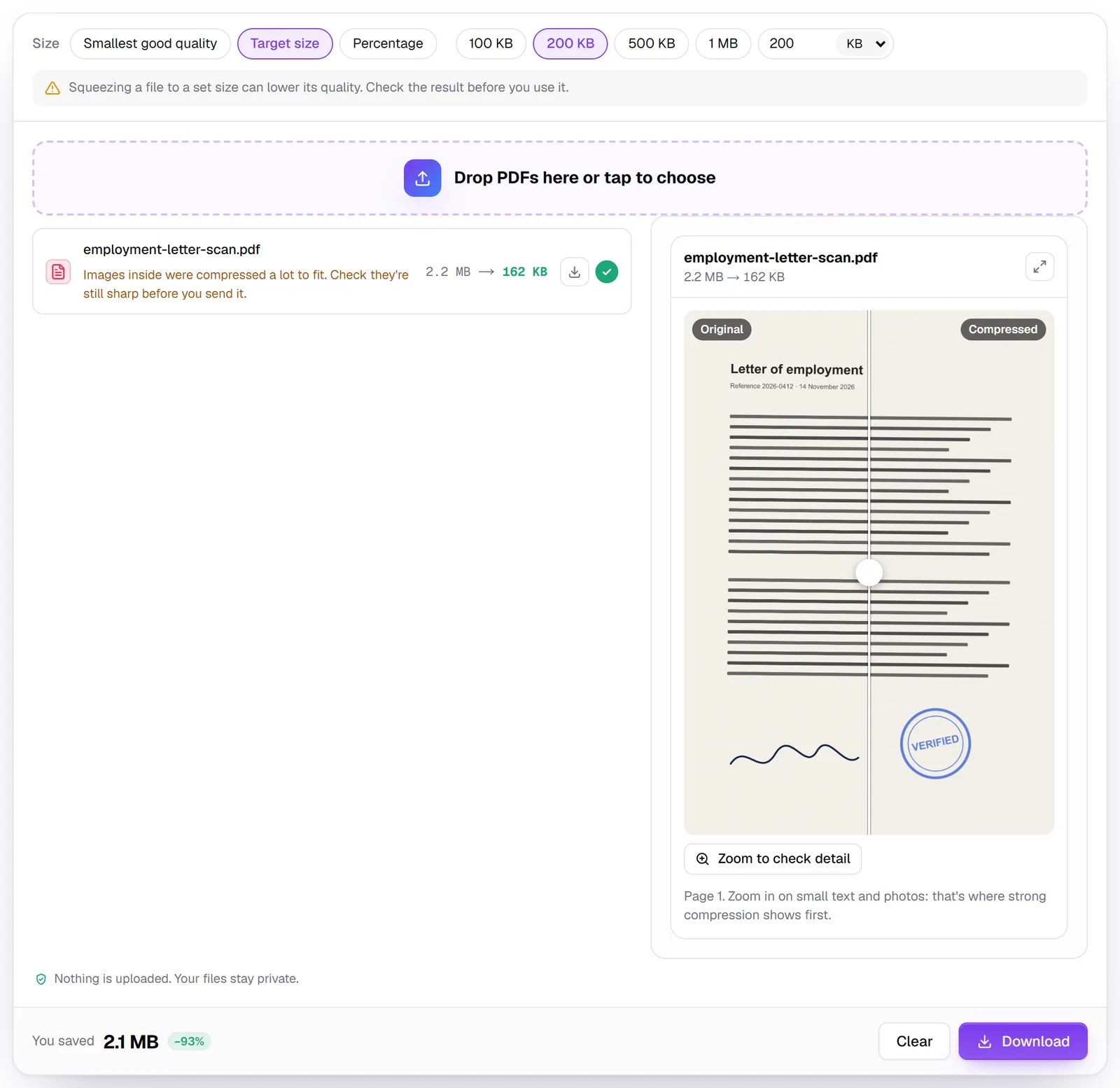
You'll see the old and new size, and a before and after view of the first page. Drag the slider and use Zoom to check detail on signatures, stamps and small print. If it looks right, press Download.
What to expect: a real example
We compressed a two-page scanned employment letter, with a signature and a stamp, scanned at 300 DPI in colour. It went from 2.2 MB to 162 KB, 93% smaller. The text stayed readable and the stamp stayed clear. Because the file had to shrink so much, the tool added a note: "Images inside were compressed a lot to fit. Check they're still sharp before you send it." That's the moment to zoom in before you submit.
How it gets there: Quikdo tries the sharpest setting first (pictures up to 2,400 pixels on their longest side) and steps down only until the file fits. If your PDF is already under 200 KB, you get your original back unchanged.
Still over 200 KB? Try these fixes
- Remove pages you don't need. Blank backs of pages, cover sheets and instruction pages all add size. Use Delete pages, then compress again.
- Turn the scan black and white. Convert a PDF to black and white drops colour and grey shadows from scans, which often makes them much smaller. Then compress again.
- Rescan at 150 DPI. 300 DPI or more is far sharper than a form needs. Most scanner apps let you choose the resolution.
- Split the file. If the portal accepts several uploads, split it by size so each part fits.
- Start from photos. If you photographed the pages, compress each photo first, then put them together with JPG to PDF.
- Need it even smaller? Compress PDF to 100 KB works for one or two pages, but check the result closely.
Tip: Name your file simply before uploading, for example employment-letter-2026.pdf. Some portals reject file names with spaces or special characters.
Do you really need 200 KB? Check your portal's limit
Compress only as much as the portal needs: a bigger file keeps more detail. We checked these official pages on 14 November 2026. Limits change, so always confirm on the portal itself before you apply.
| Portal | Max size per document | Formats | Official source |
|---|---|---|---|
| India: National Scholarship Portal (students) | 200 KB | PDF, JPEG | NSP FAQ, A.Y. 2025-26 |
| Canada: IRCC secure account, PR Portal, citizenship | 4 MB (5 MB on the IRCC Portal) | Varies by application | IRCC Help Centre, modified 3 Nov 2026 |
| Canada: urgent citizenship certificate request | 2 MB per file, 3.5 MB in total | PDF, JPEG, TIFF, DOC, DOCX | IRCC Help Centre, modified 3 Nov 2026 |
| Australia: ImmiAccount | 5 MB | PDF, JPG, PNG, DOC and more; no secured PDFs | Home Affairs, updated 12 Oct 2026 |
| UK: UCAS university applications | 5 MB | PDF, JPG, PNG, DOC, DOCX, ODT (not HEIC) | UCAS |
| US: USCIS online filing | 12 MB | PDF, JPG, JPEG, TIF for some forms; no password-protected files | USCIS, reviewed 7 Oct 2026 |
Some portals, such as the UAE's ICP and GDRFA services, don't publish a size limit on their help pages. If an upload is rejected, the error message usually states the maximum size: set that exact number as a custom target in Compress PDF.
Password-protected PDFs are rejected by several portals, including ImmiAccount and USCIS, and can't be compressed until they're unlocked. If you know the password, remove it with Unlock PDF first.
On iPhone or Android
The tool works the same on your phone:
- Open Compress PDF to 200 KB in Safari or Chrome.
- Tap the drop area and choose your PDF from Files, Google Drive or Downloads.
- Wait a moment, check the preview, then tap Download and save it to Files.
If the document is still on paper, Scan to PDF uses your phone's camera to make a straight, cropped PDF, which is a smaller starting point than a plain photo.
FAQ
How do I make a PDF smaller?
Open Compress PDF, pick a target such as 200 KB, and drop the file in. The pictures inside the PDF are re-saved at a lower resolution and quality, which is where almost all of a scan's size comes from.
Can I compress a PDF to 200 KB without losing quality?
Typed text and drawings stay sharp, because they aren't changed. Scanned pages and photos lose some detail, so zoom in on signatures and stamps in the preview before you submit.
Why is my PDF still too big after compressing?
It usually has many high-resolution scanned pages. Delete pages you don't need, convert it to black and white, or rescan at 150 DPI, then compress again.
How do I convert a PDF from MB to KB?
Set a target size in KB, such as 200 KB or 500 KB, and compress. Our two-page 2.2 MB scan came out at 162 KB.
Is it safe to compress official documents online?
With Quikdo the PDF isn't uploaded: your browser compresses it on your own device. With any other tool, check whether it uploads your file before using it with passports or ID documents.
Can I do this on my phone?
Yes. Open Compress PDF in Safari or Chrome, tap the drop area, choose your file, then save the result to Files or your downloads.