Compress image to 2 MB
2 MB is a common upload limit for documents and ID photos. Big phone photos and scans get under it while staying sharp enough to read and print.
Nothing is uploaded. Your files stay private.
Popular sizes
Opens the tool with the right settings already chosen.
How to compress an image
Three steps, about ten seconds.
- 01
Add your image
Drop a JPG, PNG or WebP in the box above, or tap to choose one from your phone or computer.
- 02
Pick a target
Keep the best-quality default, or choose a size like "Under 100 KB" if a form has a limit.
- 03
Download
Check the new size and save the file. The original is never changed.
What happens at 2 MB
A 2 MB limit is roomy, so almost every photo keeps its full size in pixels and only its quality setting drops slightly. Photos already under 2 MB come back unchanged.
Photographed documents, such as a passport page or certificate, stay readable at 2 MB. Zoom in on small print before you upload to be sure.
Compressing several photos for the same portal? Drop them all in at once: up to 50 images, downloaded together in one ZIP.
Frequently asked questions
How many KB is 2 MB?
2,048 KB, or 2,000 KB if the site rounds. Files made here stay at or under 2,048 KB.
My photo is already under 2 MB. What happens?
You get your original back unchanged, so there's no quality lost for nothing.
How do I reduce a photo from MB to KB?
Drop the photo in and pick a target like 100 KB or 50 KB. Quality is lowered first; if that isn't enough, the photo is made smaller in pixels until it fits.
Can I compress an image without losing quality?
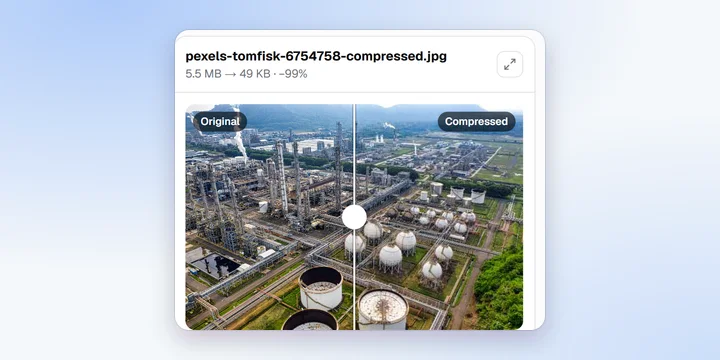
At the default setting the difference isn't visible on screen. Very small targets like 20 KB do lower the quality, so check the before and after view.
Which formats can I compress?
JPG, PNG and WebP are saved in the same format. AVIF, GIF and BMP files are read too and saved as JPG or PNG.