GATE photo and signature resizer
GATE 2027 accepts a photo and a signature in JPG within set pixel and KB limits. Pick Photo or Signature above, drop in your image, and download a file that fits.
Nothing is uploaded. Your files stay private.
Popular uses
Opens the tool with the right settings already chosen.
How to resize an image
Three steps, about ten seconds.
- 01
Add your image
Drop a JPG, PNG or WebP file in the box, or tap to choose one.
- 02
Set the size
Type a width and height in pixels, choose a file size limit, or both.
- 03
Download
Check the new dimensions and file size, then save the image.
GATE 2027 photo and signature rules
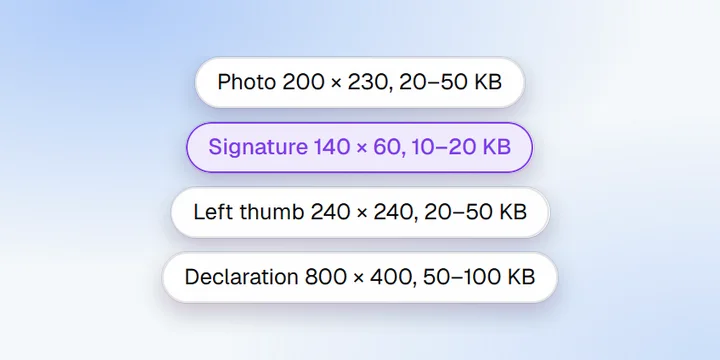
From the official GATE 2027 page (IIT Madras), checked on 17 Nov 2026. Photo: colour, 3.5 × 4.5 cm passport size, white background, face covering 60–70% of the picture, JPG, between 200 × 260 and 530 × 690 pixels, 5 KB to 600 KB.
Signature: JPG, black or dark blue ink, at least 2.75 and at most 3.75 times as wide as it is tall, between 250 × 80 and 580 × 180 pixels, 3 KB to 300 KB. The signature should fill 70–80% of the image, so crop close around it first with Crop image.
Not allowed: sunglasses, caps, glare on glasses, other people or objects behind you, a signature in capital letters, initials only, or a digital signature. A wrong photo can get the application rejected without a refund.
Frequently asked questions
What is the GATE photo size in pixels?
Anything from 200 × 260 to 530 × 690 pixels, between 5 KB and 600 KB, in JPG. This preset uses 413 × 531, the pixel size of a 3.5 × 4.5 cm passport photo.
What is the GATE signature size?
Between 250 × 80 and 580 × 180 pixels, 3 KB to 300 KB, JPG, about three times as wide as it is tall. This preset uses 450 × 150.
How do I resize a photo to 20 KB?
Choose 20 KB as the target size. The photo is saved at the best quality that fits, and scaled down if it has to be.
How do I resize an image to 50 KB?
Choose 50 KB as the target, and add a width and height too if your form asks for exact pixels.
Can I resize an image without losing quality?
Making a photo smaller in pixels keeps it sharp. A KB target may lower quality a little to fit, and making a small photo bigger can't add detail.
Guides
Step-by-step help with resize image.