Increase image size in KB
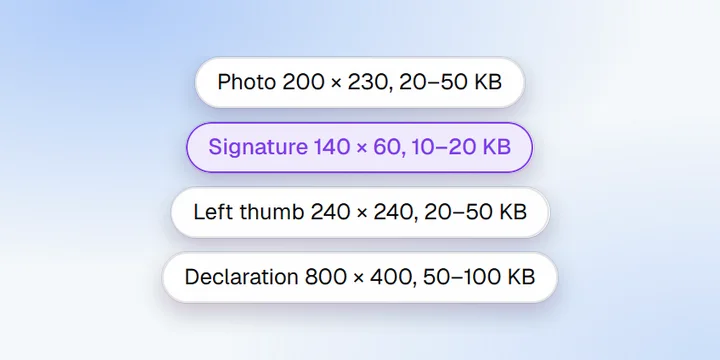
Some forms reject files that are too small, for example a signature under 10 KB. Set the minimum and Quikdo makes the JPG at least that big.
Nothing is uploaded. Your files stay private.
Popular uses
Opens the tool with the right settings already chosen.
How to resize an image
Three steps, about ten seconds.
- 01
Add your image
Drop a JPG, PNG or WebP file in the box, or tap to choose one.
- 02
Set the size
Type a width and height in pixels, choose a file size limit, or both.
- 03
Download
Check the new dimensions and file size, then save the image.
How the file gets bigger without changing the picture
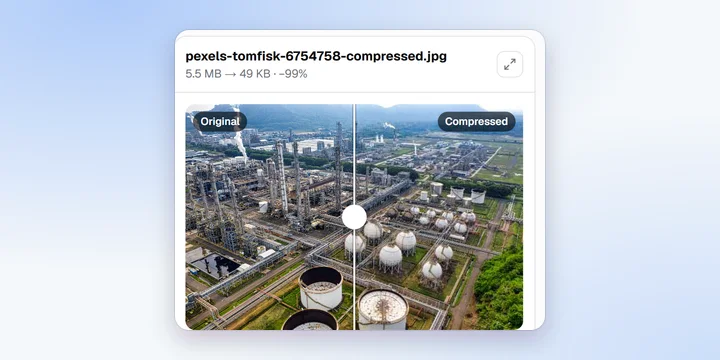
Quikdo first saves your image at high quality. If it's still under the minimum, it adds a blank comment block inside the JPG until the file reaches the size you set. Image viewers and upload forms ignore that block, so the picture looks exactly the same.
The result is always a JPG, the format almost every form asks for. Set the form's maximum under Size too, so the file lands inside the range.
If the form also gives pixel dimensions, type them into Width and Height: a bigger picture is also a bigger file.
Frequently asked questions
Will increasing the KB make my photo clearer?
No. It only makes the file meet the minimum size. A blurry photo stays blurry, so start from the sharpest photo you have.
Why does my form say the file is too small?
Many exam and job forms set a minimum, such as 10 KB or 20 KB, to stop very low-quality scans. Set that number in At least and download again.
How do I resize a photo to 20 KB?
Choose 20 KB as the target size. The photo is saved at the best quality that fits, and scaled down if it has to be.
How do I resize an image to 50 KB?
Choose 50 KB as the target, and add a width and height too if your form asks for exact pixels.
Can I resize an image without losing quality?
Making a photo smaller in pixels keeps it sharp. A KB target may lower quality a little to fit, and making a small photo bigger can't add detail.
Guides
Step-by-step help with resize image.